
From Mexico — a lot of the repos I open these days have a CLAUDE.md, an AGENTS.md, or a folder of skills and custom commands. They often get written once, usually after an agent did something annoying, and then nobody reads them again. Meanwhile the models underneath keep changing. So a lot of us are feeding today’s model instructions written for a model from months ago. That’s why the most interesting line in Claude Code 2.1.283, released on Sep 25, isn’t a flashy feature. It’s an audit command.
A built-in audit for stale instructions
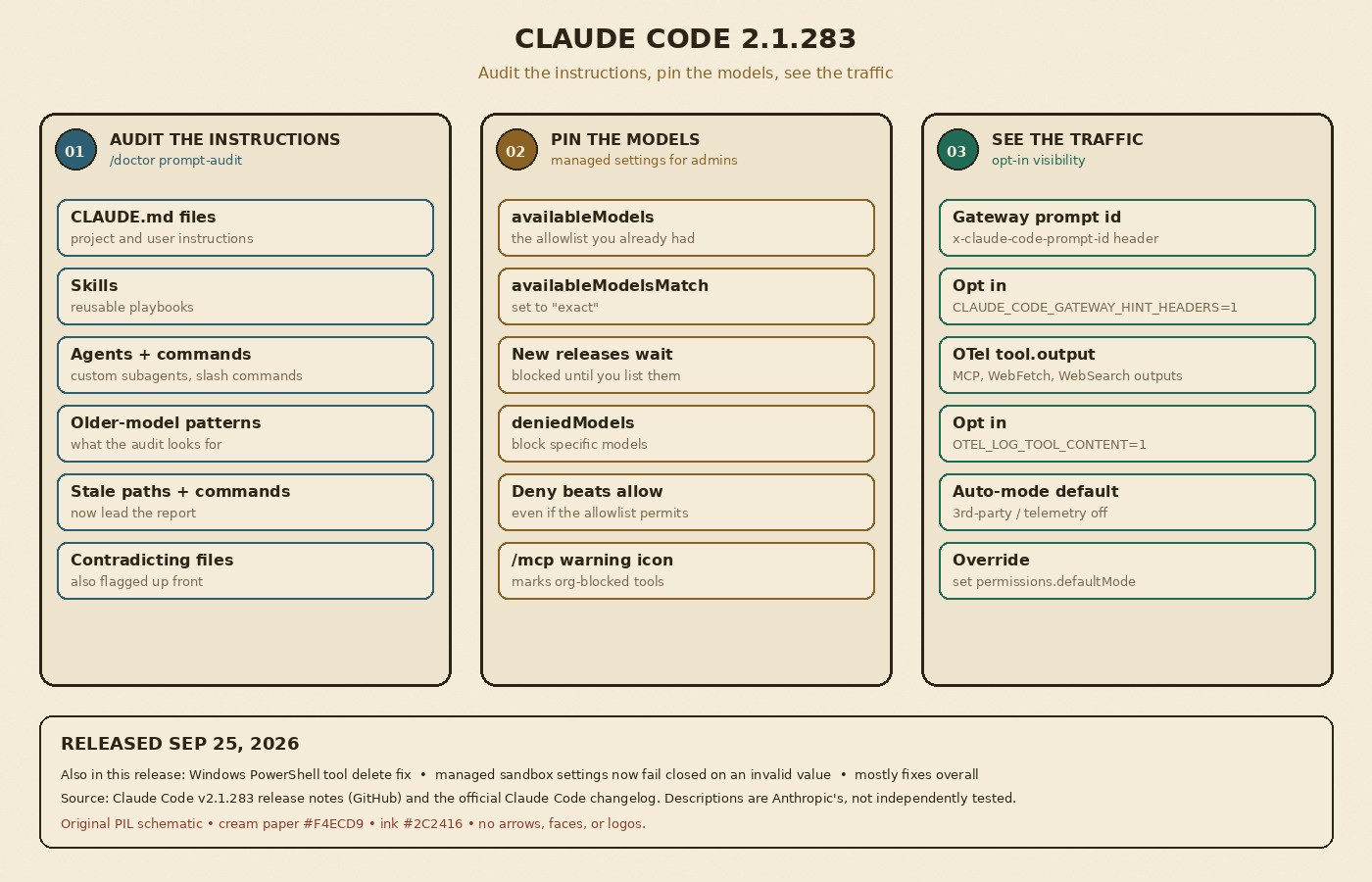
According to the official changelog, the release adds /doctor prompt-audit (also available as /checkup prompt-audit) to audit your CLAUDE.md files, skills, agents, and commands “for prompting patterns written for older models.” The same release notes say the report now leads with stale paths, stale commands, and contradicting instruction files, and that it keeps the thinking keywords Claude Code documents instead of flagging them.
The idea isn’t brand new for Anthropic. The commands reference already lists a prompt-audit option under the /claude-api skill, the one for building on the Claude API, where it flags instructions written for older models in your prompts, skills, and tool descriptions. What 2.1.283 does is point that same kind of check at the files that steer Claude Code itself. For me, that’s the right place. A stale path in CLAUDE.md or two instruction files that contradict each other won’t throw an error. The agent just gets a little worse, and you blame the model.
Pinning models so upgrades are a decision
The second change is for whoever manages Claude Code for a team. Two new managed settings:
availableModelsMatch: set it to"exact"and anavailableModelsentry allows only the model version it names, “so new releases stay blocked until listed.”deniedModels: blocks specific models, even whenavailableModelsallows them.
This connects straight back to the audit. If your instructions are tuned for one model, you probably don’t want a new one showing up on Monday without anyone testing the team’s skills against it. With exact matching, a model upgrade becomes something you choose, test, and then list. The /mcp tool list also now marks tools your organization blocked with a warning icon, so developers can see why something isn’t available instead of guessing.
Smaller changes worth a look
Most of the long changelog is fixes, but a few items matter if you run Claude Code at team scale:
- Gateway grouping: a new
x-claude-code-prompt-idhint header lets LLM gateways group the requests that serve one user prompt. It’s opt-in withCLAUDE_CODE_GATEWAY_HINT_HEADERS=1. - Tracing: MCP tool, WebFetch, and WebSearch outputs now go into the
tool.outputOpenTelemetry span event whenOTEL_LOG_TOOL_CONTENT=1is set. Handy for debugging, but think about what ends up in your traces before you turn it on. - A default that changed: interactive sessions on third-party providers, or with telemetry off, now start in auto mode when no permission mode is configured.
permissions.defaultModestill overrides it, so if your team relies on the old default, set it explicitly. - Safety fixes: on Windows, the PowerShell tool no longer lets certain delete commands remove folders like drive roots or the home folder that
Remove-Itemrefuses, and managedsandboxsettings with one invalid nested value now fail closed instead of being ignored entirely.
What I’d keep in mind
This is changelog-level information. I haven’t found a docs page yet that shows what a prompt-audit report looks like or how it decides a pattern is “written for older models,” so I’d treat its output as suggestions to review, not rules. I haven’t run it on my own repos yet either. And an audit only helps if someone owns the result: if nobody on the team is responsible for the instruction files, the report will rot just like the files did.
My takeaway
We spent years learning that config is code: review it, version it, clean it up. Agent instructions are the same thing, and they age faster because the model underneath keeps moving. What I like about 2.1.283 is that it treats both sides of that problem: check whether your instructions still fit, and control when the model changes. If your team uses Claude Code, update, run /doctor prompt-audit on one repo, and read the full release notes for the settings that apply to you.
Featured image: “Wooden Card Catalog Furniture” by MarkBuckawicki, Wikimedia Commons, CC0 1.0, cropped and color-graded.