
From Mexico, I’ve watched AI coding tools split into two camps this year. On one side you have the editor: an IDE with a chat panel and an agent that edits files while you watch. On the other you have the agent app: a workbench where you hand off whole tasks, run several at once, and check back later. ByteDance’s TRAE had one of each. This week it stopped pretending they’re different products.
On October 9, TRAE announced that its two apps, TraeWork and TraeCode, are now one. The English docs page, “Important update: TraeWork and TraeCode is merged into the all-new TRAE”, describes the result as “an integrated platform that supports the entire development lifecycle.” TechNode’s write-up puts it plainly: ByteDance combined its office AI agent and its coding tool into a single application.
Two modes, one app
The new TRAE has two ways to work, and you can switch between them whenever you want.
Agent mode is the workbench. The docs say you can manage multiple projects within a single workspace and run several agents on different tasks in parallel. You can also run local tasks across multiple directories, or point the work at a remote development environment over SSH. TRAE’s pitch covers both ends of the skill range: “Beginners can build demos step-by-step, while professional developers can orchestrate multiple agents across projects to drive tasks forward in parallel.”
IDE mode is the editor. In the docs’ words, it “retains a comprehensive, AI-powered development environment, perfect for in-depth code editing and precise debugging within a single project.” So when an agent gets you most of the way and you need to dig into the code yourself, you don’t open a different app. You flip the mode.
In its Chinese-language announcement, the TRAE team explains the reasoning. TraeWork leaned toward office work, tasks and content, and TraeCode toward professional coding, but real work doesn’t split neatly into office work and writing code. Building a product demo takes breaking down requirements, page design, code, testing and delivery notes. One entry point is meant to hold that whole chain.
Start on the laptop, check on the phone
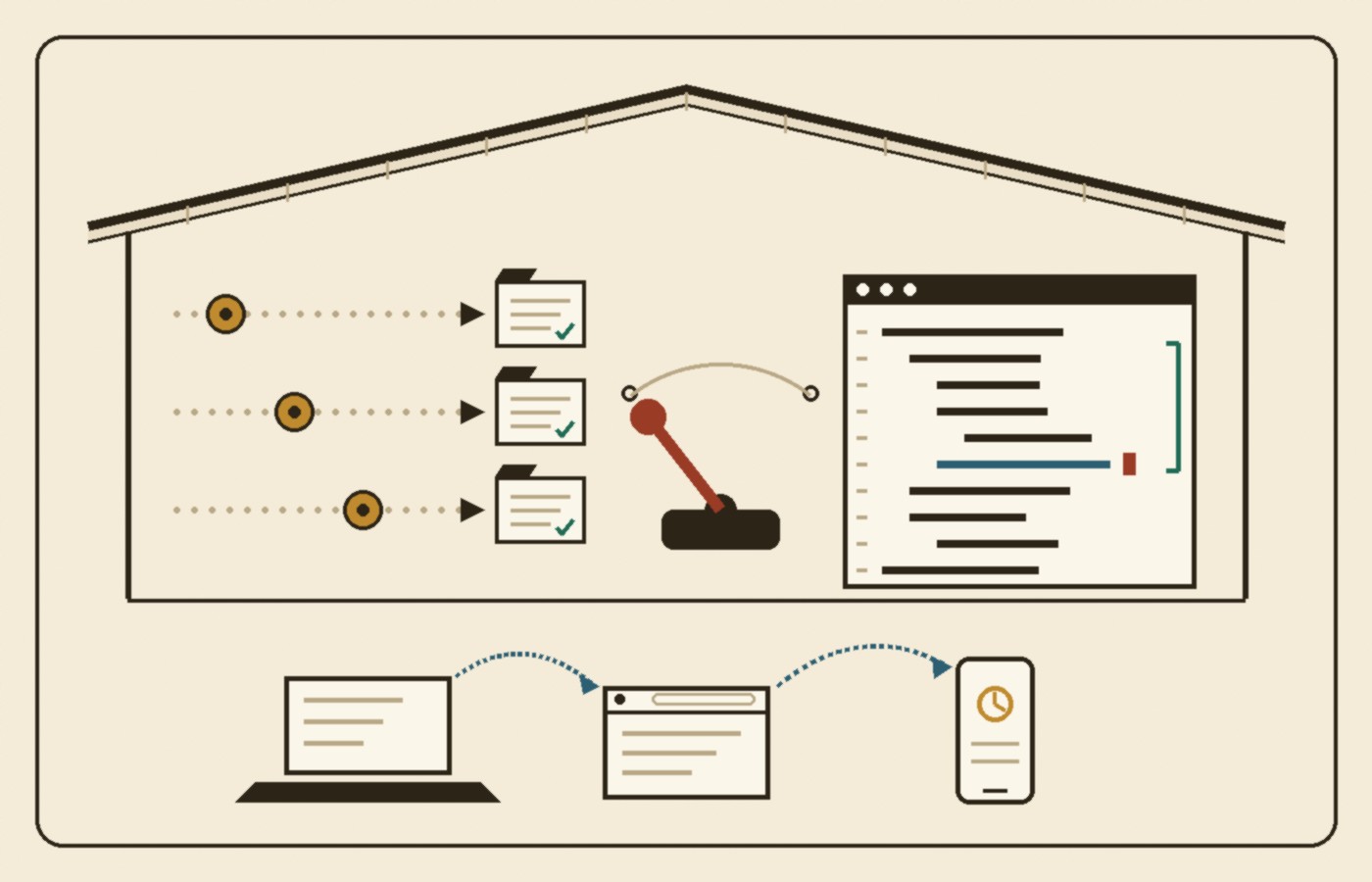
The other big piece is that the new TRAE runs on desktop, web and mobile. The docs give the flow I’d actually use: “You can initiate a task on your computer, check progress and add follow-up requirements on your phone, then return to desktop for further development.” Projects, tasks and deliverables are supposed to stay in the same workflow while you switch devices.
That matters more with agents than it ever did with autocomplete. When a tool only suggests the next line, you have to be sitting at the keyboard. When an agent is grinding through a task for twenty minutes, the useful thing is checking in from wherever you are and nudging it before it wanders off in the wrong direction.
Automation, Marketplace and My Artifacts
Three more features fold into the same workflow. Automation is for repeat work: the docs list compiling regular project updates, running routine checks, summarizing test results and generating reports as things you can hand to agents to keep running. Marketplace is where you find Plugins and Skills to plug other tools and services into your AI coding workflow.
My Artifacts is the one I didn’t expect to like. Code changes, HTML files, slide decks, documents, images, videos and reports all land in one place. As the docs put it, “You no longer need to dig through chat history to find results.” Anyone who has scrolled up through a long agent session hunting for the one file it made an hour ago knows exactly why that’s there.
If you already use TraeWork
Existing TraeWork users upgrade from inside the desktop app. The docs say chat history, account data, profile, commercial credits, sign-in status and local data move over automatically, and you can choose to uninstall TraeWork afterward and delete its local data. TechNode reports that the standalone TraeWork service shuts down on October 23, so if your team relies on it, that’s the date to plan around.
What I take from it
This is a product merge, not a new model or a benchmark, and the docs are a vendor’s own description. I haven’t put it through a real project yet, so I’m reading it as a signal more than a review. But the signal is clear. The line between the agent app and the editor is getting hard to defend. People don’t work in one mode all day. I hand off a chunk of work, review it, fix the one ugly function myself, and hand off the next chunk. A tool that makes me switch apps for each of those steps loses context every time.
The TRAE team says the same thing in its Chinese post, in its own way: AI coding is moving from a person giving an instruction and the AI doing one step, to a person setting a goal and the AI carrying it forward (my translation). I’d add one thing. The goal-setting part only works if the hand-back is easy, when the agent gets stuck or gets it wrong. Putting the editor one click away from the agent is how you make that hand-back cheap. I expect more tools to land on this same shape: one roof, a mode for delegating, a mode for getting your hands dirty, and the same task following you to whatever screen you have nearby.
Featured image: Arthur A. Smith Covered Bridge – interior, November 2019, photo by Waz8, Wikimedia Commons, CC0 1.0 (public domain dedication). Cropped, resized to 1400×900, and lightly adjusted from the original upload.